
Registers get lost
Paper attendance is hard to track and impossible to analyse across sections.
For principals, administrators and teachers: OMR scanning with any camera, a print-ready paper generator, timed online tests and a student portal — without registers and spreadsheets.
Paper attendance is hard to track and impossible to analyse across sections.
Teachers lose hours hand-checking sheets, and results reach students late.
Marks sit in registers and spreadsheets, so weak topics go unnoticed.
Built for principals, administrators, teachers and students.
One hub for classes, students, exams and reports.
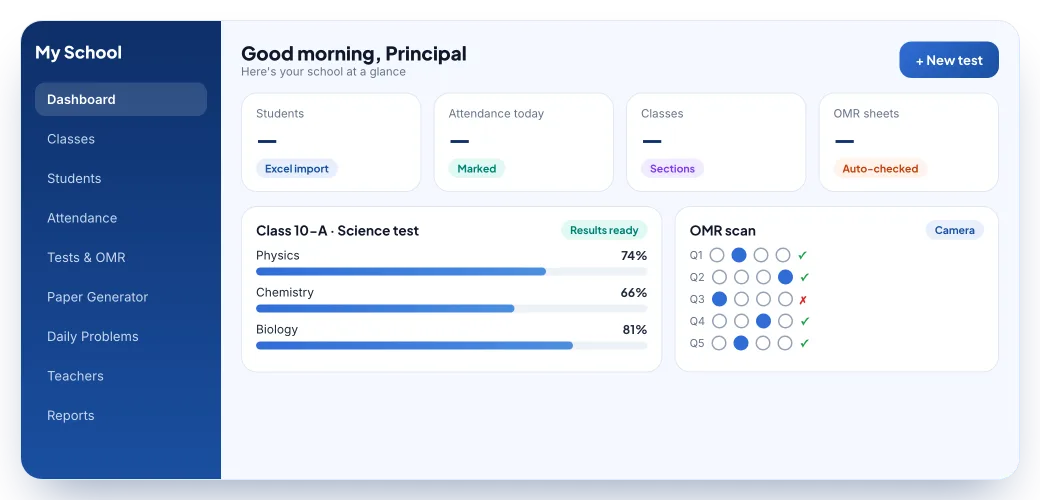
Create classes and sections; add students one by one or import hundreds from Excel.
Mark daily attendance section-wise and track records and trends.
Scan printed OMR sheets with any phone or tablet camera; answers are evaluated automatically.
Pick questions and export a formatted, print-ready paper as PDF.
Use your own questions or EdHills’ expert-reviewed bank, depending on your plan.
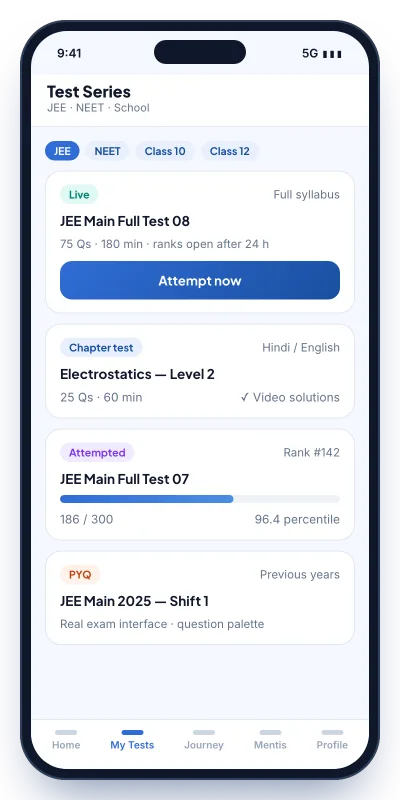
Sectioned papers, a live countdown, a question palette and tab-switch detection.
Assign a problem to each section every day and track who solved it.
Subject-, section- and student-wise results, report cards and Excel export.
Students log in with just a phone number — no passwords to manage.
Teachers sign in to manage attendance, daily problems and results for their classes.
Bulk-import students and export results and attendance for records.
Enter the correct answers in the app before the exam.
Use standard printed bubble sheets as usual.
Phones and tablets work — no special hardware.
Scores, ranks and subject-wise analysis, exportable to Excel.
Tell us about your school and we’ll set up a walkthrough: importing students, running an OMR test and generating a paper.
Prefer to talk? Email support@edhills.in or WhatsApp us.
EdHills My School is a digital school-management and assessment suite. It covers classes and students, attendance, OMR answer-sheet scanning, a question-paper generator, timed online tests, daily practice problems, results and report cards, with separate portals for teachers and students.
Enter the answer key in the app, let students fill standard printed OMR sheets, then scan each sheet with a phone or tablet camera. EdHills reads the bubbles, compares them with the key and produces scores and analytics, which you can export to Excel.
No. Students and teachers sign in with their phone number and a one-time password (OTP).
The school does. Under our privacy policy, the school is the data controller and EdHills processes student data only to provide the service to that school.
Plans depend on your school’s size and the question-bank tier you choose. Contact us for a quote and a free demo.